Heading Hierarchy for SEO: How to Structure H1, H2, and H3 Tags Correctly
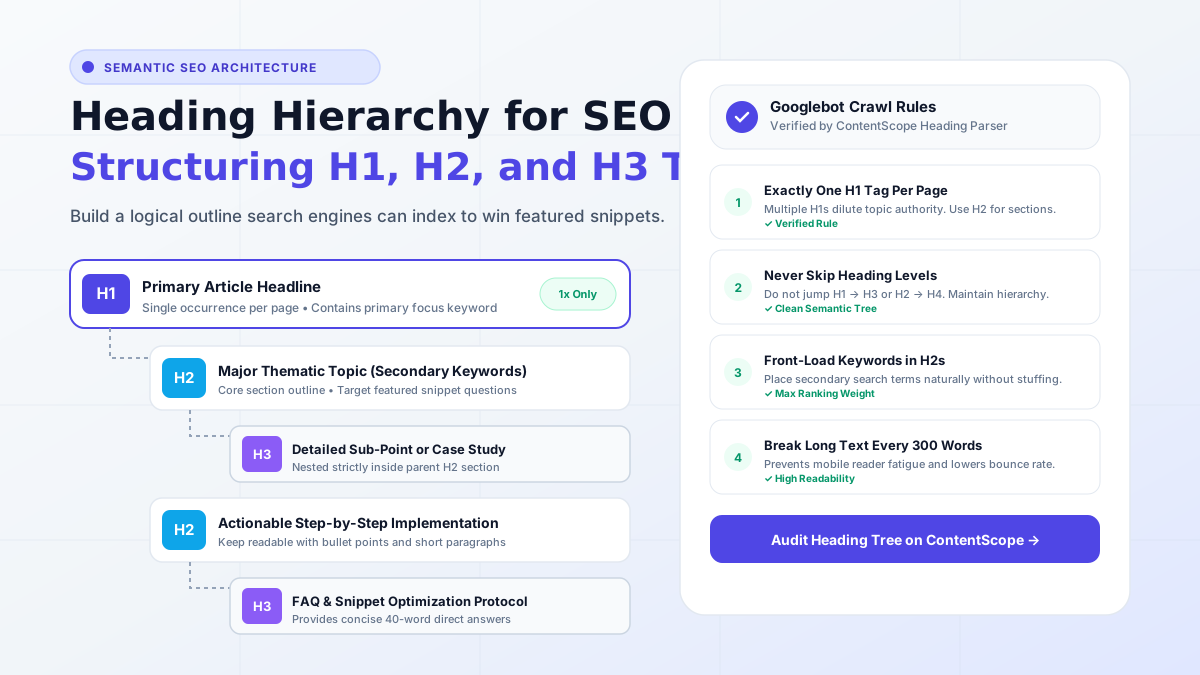
Headings are the structural backbone of web content. When search engine web crawlers like Googlebot parse a blog post, they don't read every sentence sequentially like a human novel. Instead, they scan your HTML heading tags to construct an immediate semantic outline of your article's topics, subtopics, and relevance.
Structuring your headings incorrectly—such as using multiple H1 tags, skipping heading levels, or stuffing keywords into every subhead—confuses search crawlers and costs you valuable search rankings. Here is everything you need to know about heading hierarchy for SEO.
The Cardinal Rules of HTML Heading Hierarchy
Rule 1: Exactly One H1 Tag Per Page
Your H1 tag is your article's main title. It tells search engines and visitors the primary subject of the page. Having multiple H1 tags dilutes topical authority and makes it difficult for algorithms to determine your core focus keyword.
Rule 2: Never Skip Heading Levels
Headings must follow a strict parent-child relationship. An H3 tag belongs under an H2 tag; it should never be placed directly under an H1 without an intermediate H2 parent. Similarly, never jump from an H2 directly to an H4 tag.
Rule 3: Front-Load Secondary Keywords in H2 Subheadings
H2 tags are prime real estate for ranking secondary keywords, long-tail variations, and questions. For example, if your article is about "Email Marketing," strong H2 tags would be:
- "What is Email Marketing and Why Does It Matter?"
- "Step 1: Building a Compliant Subscriber List"
- "Top 5 Email Marketing Software Platforms Compared"
How Proper Headings Win Google Featured Snippets
Google frequently pulls definitions, ordered lists, and tables directly from H2 and H3 sections to display as Position Zero Featured Snippets. To maximize your chances of winning snippets:
- Use a clear question as your H2 heading (e.g., "What is Flesch Reading Ease?").
- Provide a direct, 40-to-50-word answer immediately below the heading in the opening paragraph.
- Follow up with a bulleted list or detailed explanation.
How ContentScope Checks Your Heading Hierarchy
When you audit your article with ContentScope, our heading parser validates:
- Total H1, H2, and H3 count.
- Semantic nesting order to ensure no levels are skipped.
- Keyword distribution across subheadings.
- Visual rhythm so readers aren't confronted with more than 350 words without a subheading.
Audit your draft on ContentScope today and give your content the structured foundation it needs to rank on page one!
Ready to check your own content?
Get a free AI-powered SEO analysis with actionable fix suggestions.
Try the Free SEO Checker